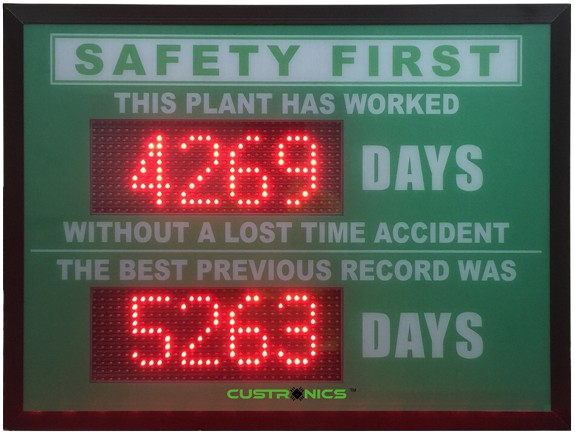
1. What does the safety counter display?
The Workplace Safety Counter displays the number of consecutive days a workplace has operated without a recorded Lost Time Injury (LTI) or other specified incident. Depending on the configuration, it can also display customized safety messages and metrics to promote workplace safety awareness and encourage employees to follow safety procedures.
2. How is the counter incremented automatically?
The counter can use a built-in real-time clock (RTC) or a compatible controller to increment the displayed day count automatically. Once configured, it updates the count each day without requiring manual intervention. The counting method depends on the selected model and the required safety tracking criteria.
3. How can the counter be reset?
The counter can support manual, remote or automatic reset options, depending on the selected configuration. An authorized person can reset the count following an incident, or a compatible external controller can trigger the reset. The reset procedure can be aligned with your company’s workplace safety policy.
4. Can the counter display more than one metric?
Yes. The Workplace Safety Counter can be customized to display multiple safety metrics, such as days without LTI, near-miss incidents, first-aid cases and safety training performance. The number of metrics, display layout and LED colors depend on the selected display size and configuration.
5. Can the display be installed outdoors?
Yes. Indoor and outdoor configurations are available. For outdoor installation, the display can be specified with a suitable weather-resistant enclosure and appropriate IP protection rating. High-brightness LEDs can also be selected to improve visibility in daylight. The final specification should match the installation environment.
6. Can it be integrated with our PLC or safety system?
Yes. Depending on the selected model, the counter can integrate with compatible PLCs, safety systems or external controllers. Available communication options may include RS485, Ethernet TCP/IP and Modbus. Integration requirements depend on the existing system’s interface, data format and required functions.