
Monitor cycle time and takt time in real time to optimize performance, balance workloads, and meet customer demand consistently.

Improve Line Balance
Meet Customer Demand
Increase Productivity

Support Lean Manufacturing
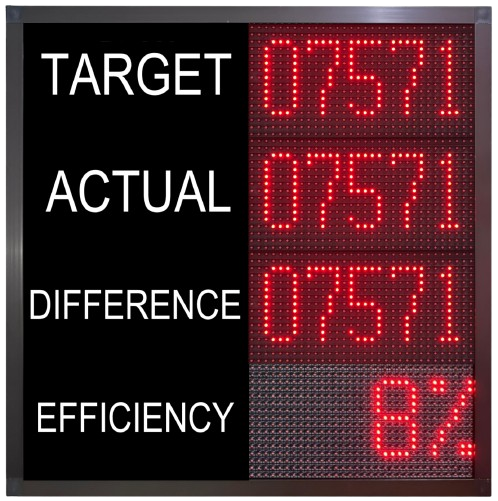
Cycle time is the actual time required to produce one unit or complete a process. Takt time is the required production pace based on customer demand and available production time. Comparing the two helps identify whether production is operating faster, slower, or according to the required pace.
Yes. The display can integrate with PLC, MES, SCADA, sensors, and other production systems to receive real-time cycle and production data. Depending on the application, communication options can include RS232, RS485, Ethernet, Modbus RTU, Modbus TCP/IP, or TCP/IP.
Yes. A single display can be configured to monitor multiple machines, processes, or production stations. Each process can show its own cycle time, takt time, variance, and status, allowing operators and supervisors to monitor production performance from one screen.
Yes. Different takt time, target cycle time, or performance targets can be configured for individual production stations or processes. This allows the display to reflect the specific requirements of each operation.
Variance can be calculated by comparing the actual cycle time against the target cycle time or takt time. For example, if the target is 20 seconds per unit and the actual cycle time is 18.5 seconds, the system can display a variance of -1.5 seconds, indicating that the actual cycle is faster than the target.
Yes. The system can be configured to provide visual and/or audible alerts when the actual cycle time exceeds the predefined target. This can help operators identify production slowdowns and take corrective action quickly.
Yes. The display can be customized according to your production requirements, including display size, layout, colors, number of processes, KPI information, cycle/takt data, status indicators, communication interface, and alert functions.
Yes. An outdoor version can be provided with a suitable weather-resistant enclosure and protection rating. The configuration can be selected according to the installation environment, viewing distance, brightness requirements, and site conditions.